Last week was about opening Airwave up with a public API. This week is about control: giving each channel more say over exactly what airs, and letting your server look after itself when something changes in Plex. There's also a nice refresh to the channel editor to show for it.
Weekly highlights
- Keep multi-part episodes together: a channel can now air "Part 1 / Part 2" stories back to back and in order, wherever they land in the schedule.
- Exclude TV specials: drop Season 0 out of a channel's pool so specials never turn up.
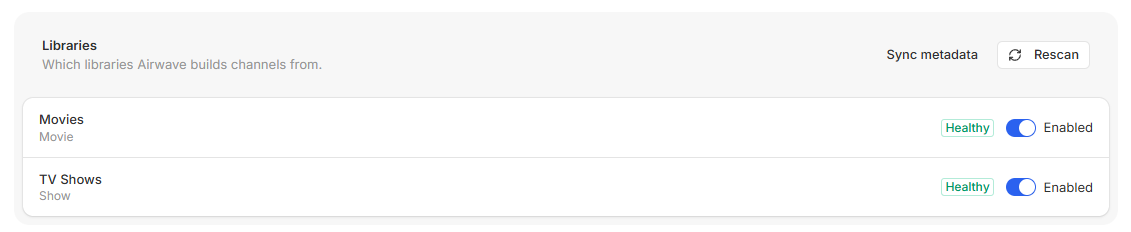
- Library Health: a deleted Plex library no longer breaks every job. Airwave disables a library that has vanished and turns it back on if it returns, with a status badge on the Sources page.
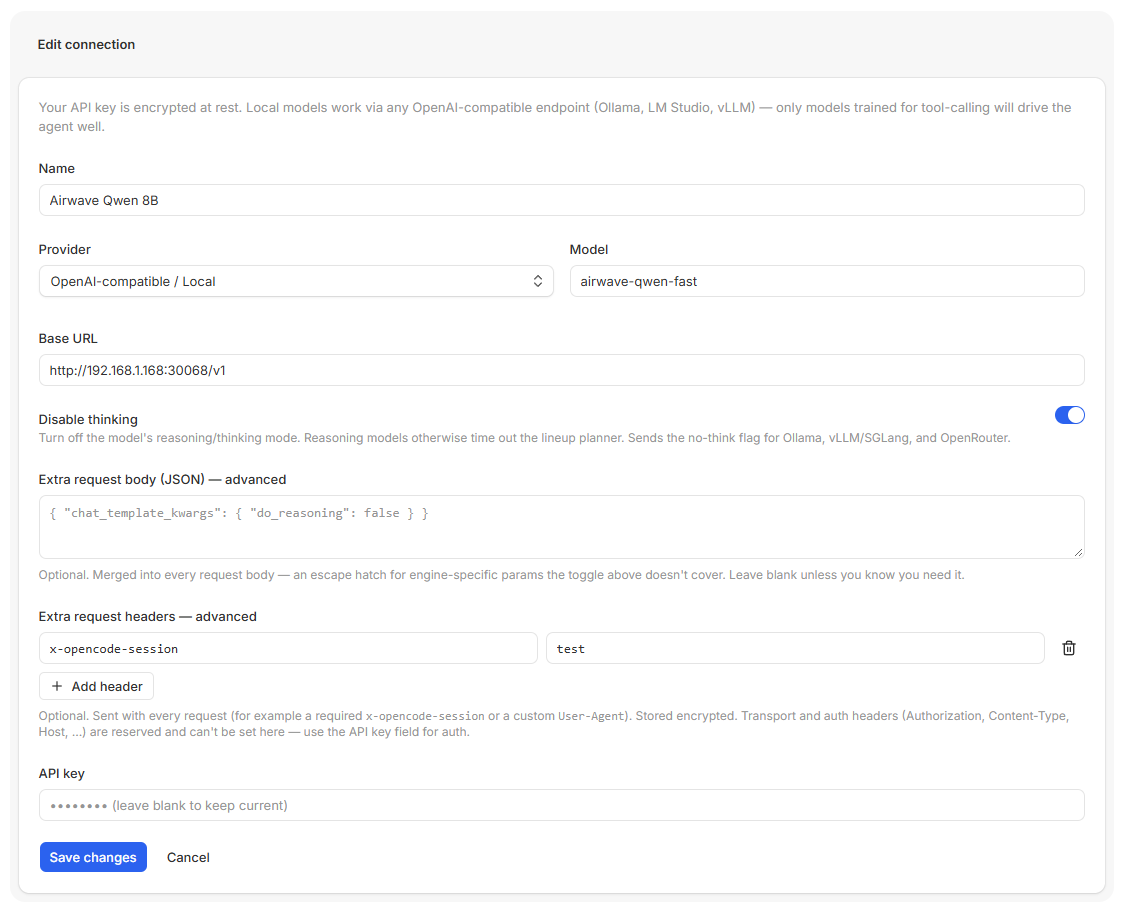
- Custom request headers for local and OpenAI-compatible AI connections, stored encrypted, for endpoints that need a header to let you in.
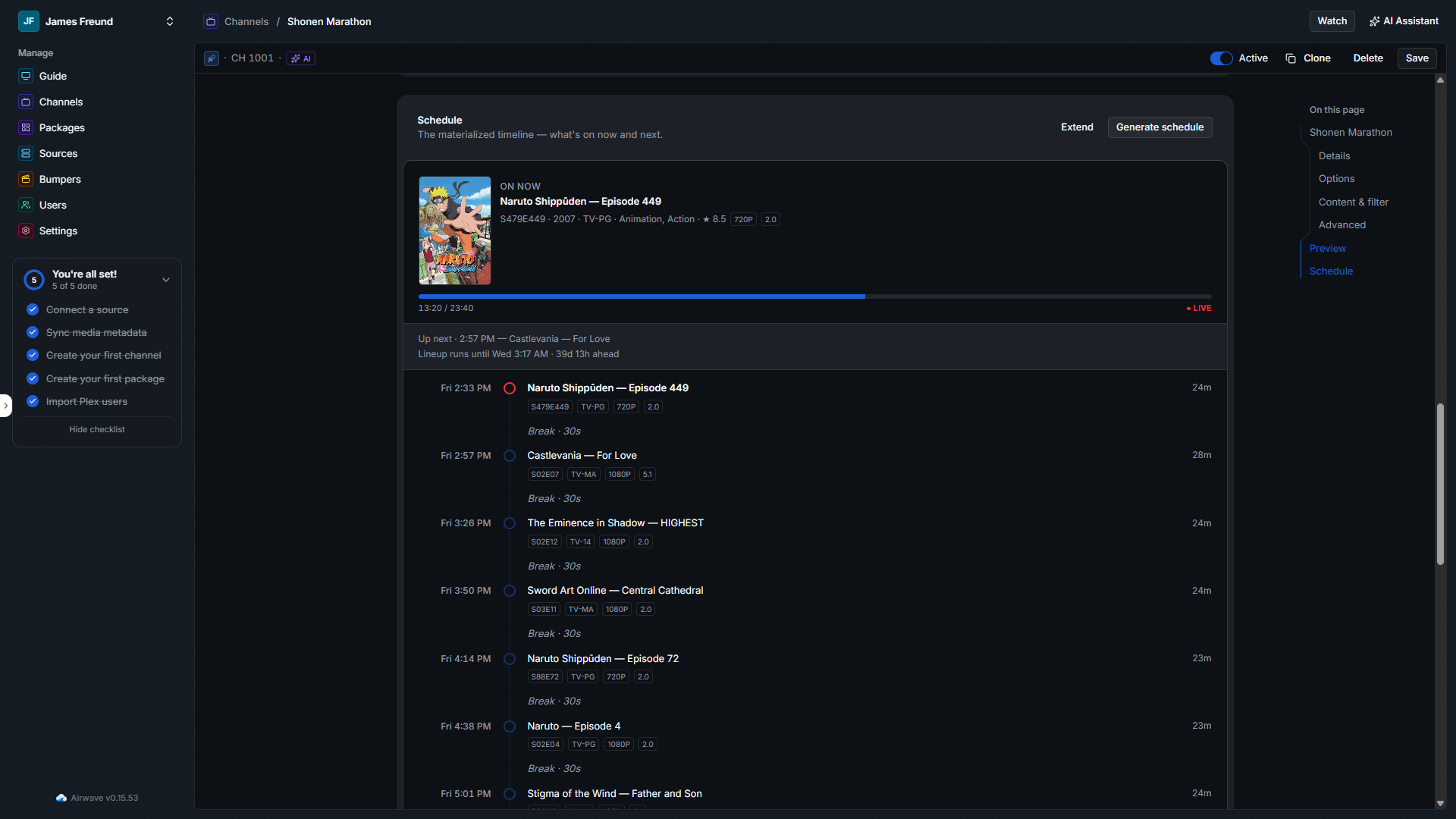
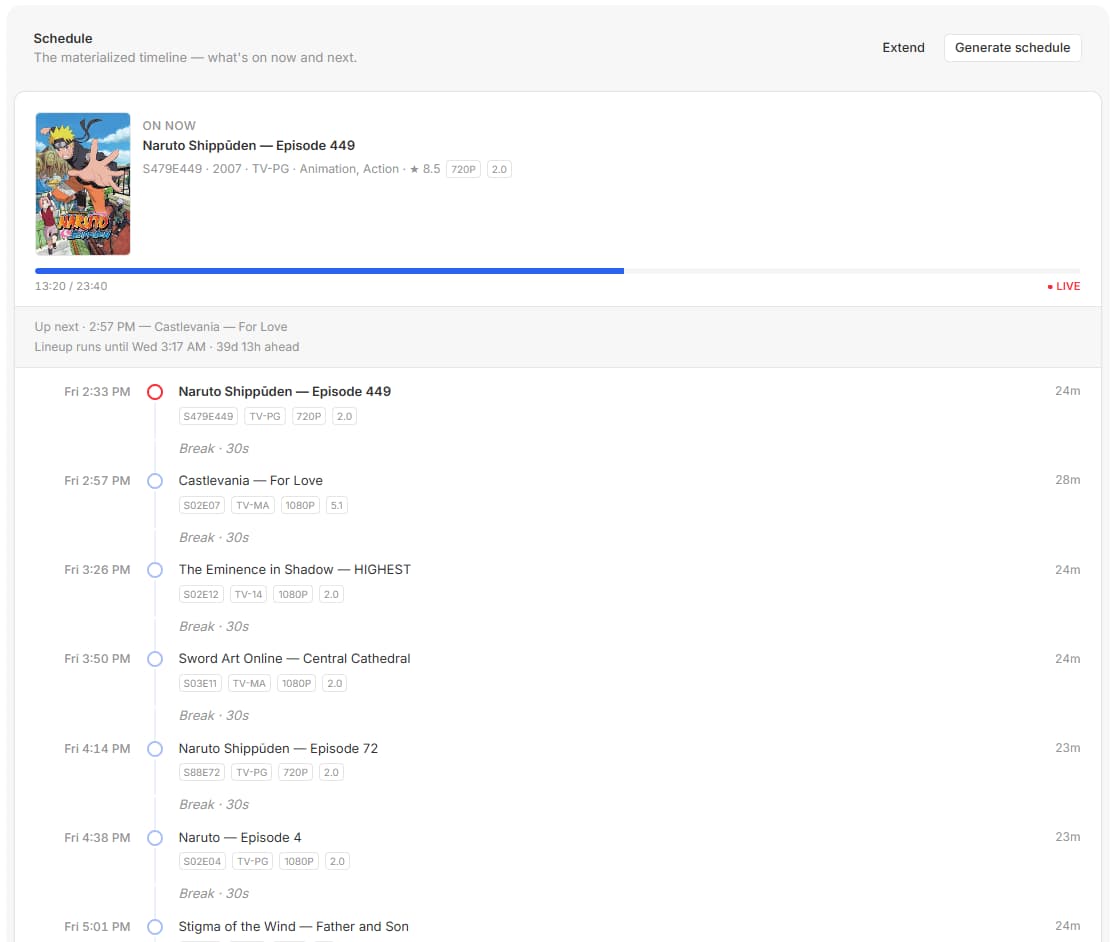
- A refreshed channel editor: a floating section nav, a now-playing card that matches the live Sessions view, and the upcoming lineup drawn as a vertical timeline.
Keep multi-part episodes together
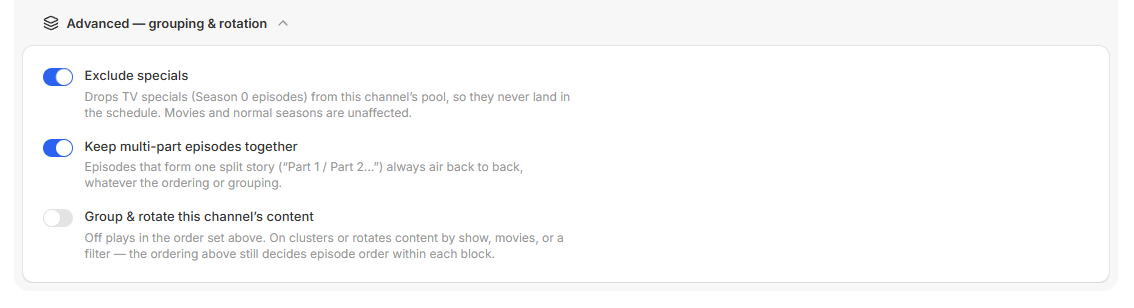
A lot of shows tell one story across two or three episodes: the "… (1) / (2)" two-parter, the "Part 2" finale, the Roman-numeral "(II)". Shuffle those into a channel and they can land hours or days apart, which is no way to watch a cliffhanger. There's now a per-channel toggle in the channel's Options to keep them together: turn it on and a split story airs contiguously and in order wherever the schedule places it, no matter the ordering or grouping strategy you've set.
It works off the episode titles, since that's the only signal Plex exposes for this, so a run has to start at part 1 and it tops out at five parts. Your bumpers still play between the parts, so you keep the interstitials without breaking up the story. It's off by default, and with it off your schedules are byte-for-byte unchanged.
Leave the specials out
Specials are great, until a channel's "next episode" is a 2004 holiday one-off in the middle of a normal run. The new "Exclude specials" toggle, at the top of a channel's Advanced grouping and rotation settings, drops Season 0 episodes from that channel's pool so they never reach the schedule. It applies in every channel mode (filter, membership, and manual) and leaves movies and normal seasons alone. Off by default.
Libraries that heal themselves
If you delete a library in Plex, Airwave used to keep trying to use it, and the jobs that touch it (metadata sync, library scans, schedule builds) would fail over and over on a section that no longer exists. That was the cause behind one of the more annoying "everything's broken" reports.
There's a new Library Health check now. Every 15 minutes it does a cheap confirmation that each source's libraries are still on the server. A library that's gone missing is disabled automatically after three failed checks, so the heavy jobs stop erroring, and if it reappears later it's turned back on by itself. The Sources page shows where each one stands with a small badge: Healthy, Missing n/3 while it's failing checks, or Not found once it's been disabled. A library you switch off by hand stays off; the check only manages the ones it disabled itself.
Custom headers for local AI
If you point Airwave's AI assistant at a local or OpenAI-compatible endpoint, some of them want a header before
they'll talk to you. OpenCode Go, for instance, rejects any request that's missing x-opencode-session. A
compatible connection's Advanced settings now have an "Extra request headers" editor where you add key/value
rows, and those headers go out on every request to that endpoint, including the connection Test. They're stored
encrypted at rest, the same as the API key, since a header can carry a secret. Reserved transport and auth
headers can't be overridden, so you can't accidentally break the request.
A sharper channel editor
The channel editor got a visual pass while I was in there. On a wide screen there's now a floating "On this page" nav that lists the channel's sections, plus Preview and Schedule, and highlights whatever you're looking at as you scroll. It stays out of the way when a side panel like the AI assistant is open.
The Schedule panel is the bigger change. The "on now" block now reads like the live session card in Settings, with the show or movie poster, the program details, and a progress bar showing how far into the program you are. Below it, the upcoming lineup is drawn as a vertical timeline: a timestamp and a dot on the rail for each program, with the title, its badges, and its length alongside. The program that's on now is marked as the active step in the live red, and breaks sit inline between programs instead of cluttering the list.
All of this is server and admin side, so it's live as soon as you update your server, no client updates to wait on.
That's the week. If you want to steer what comes next, the roadmap is where you vote, and the full history is always in the changelog.
Comments