The last couple of weeks were about building channels. This one is about opening Airwave up. Your server now has a public API, so Home Assistant, a Tidbyt, a dashboard, or your own scripts can read what's on and react when someone starts watching. And the live "who's watching" data behind it got real: sessions are per-device now, and they know whether you're actually playing, paused, or buffering.
Weekly highlights
- A public read API at
/api/public/v1: your server's status, channels, packages, the full guide, and who's watching, authenticated with an API key, with an interactive reference and a "Try it" playground here on the site. - Program artwork as ready-to-use image URLs you can drop straight into an
<img>, a Home Assistant card, or a Tidbyt, with no Plex token. - Webhooks: Airwave pushes a signed event to your endpoint the moment someone starts or stops watching, pauses, resumes, or changes channel.
- A live event stream (SSE) that delivers those same events over one long-lived connection, for always-on clients.
- Watch sessions are per-device now (two TVs on one account are two sessions), and they report real play, pause, and buffer state.
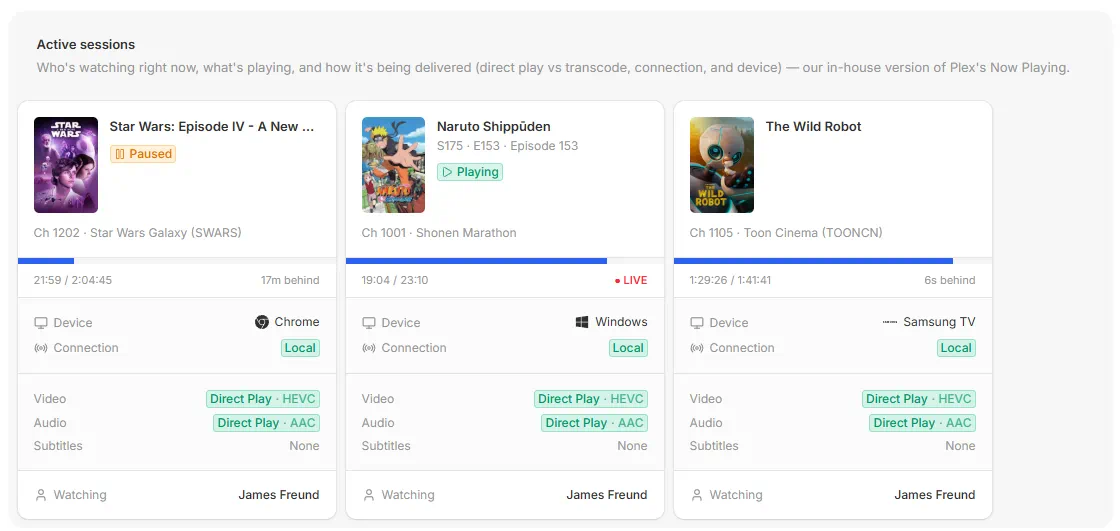
- The admin's Sessions page shows each viewer's device with its brand, plus a live Playing, Paused, or Buffering badge.
- Integration guides for Home Assistant, Tidbyt, and generic REST, alongside the webhooks and live-events guides.
A public API for your server
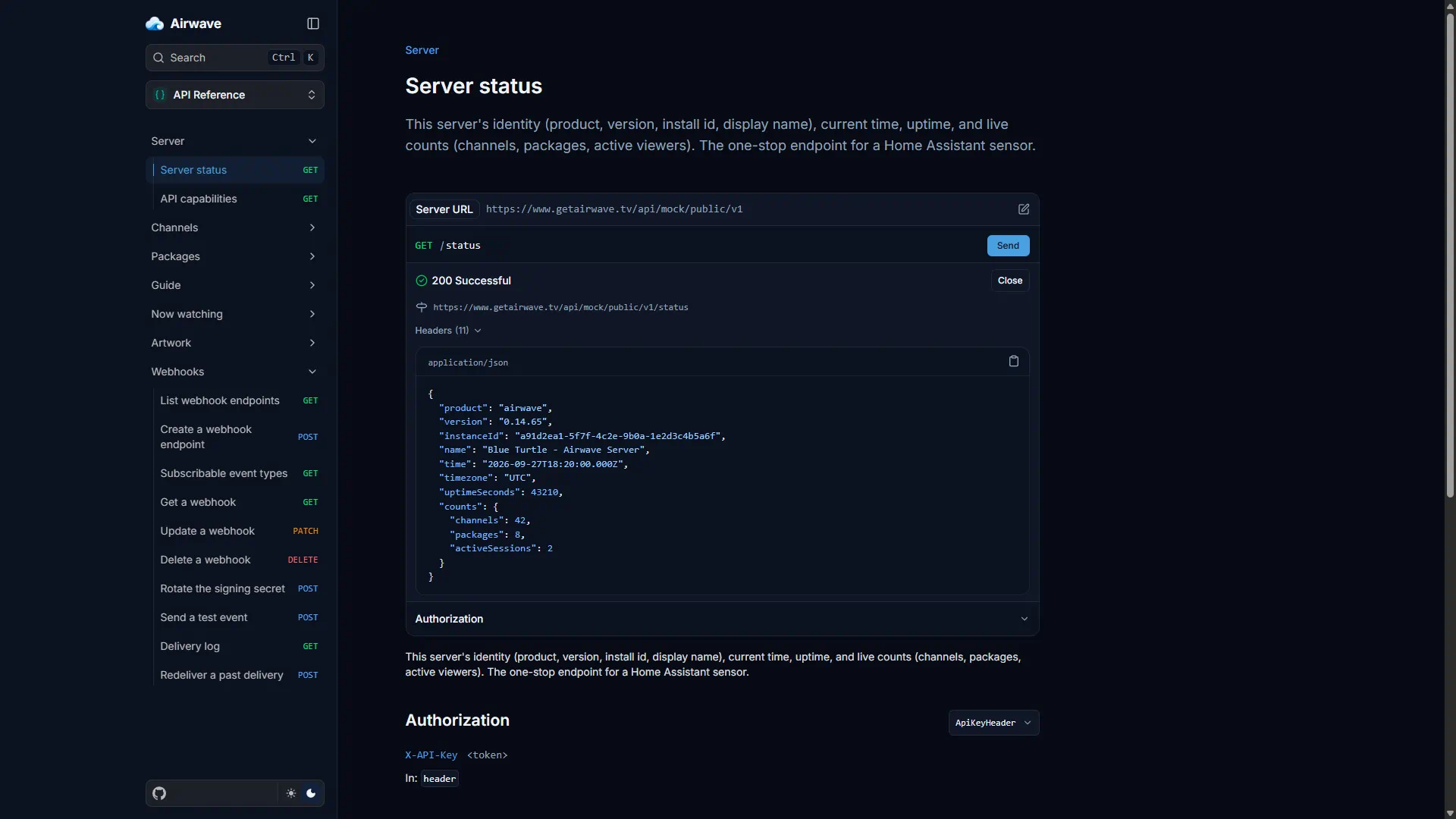
Airwave used to keep its data to itself. Now there's a documented, read-only API at /api/public/v1 that
anything speaking HTTP can use. Generate a key on the API Keys settings page, send it as a header, and you can
read your server's status, its channels and packages, the full guide (now and next across every channel), and
who's watching right now. Everything is scoped to what that key's user is allowed to see.
It's a real contract, kept separate from the internal APIs the apps use so it can stay stable, with a first-party OpenAPI spec behind it. There's an interactive API reference here on the site with a "Try it" playground that runs against a mock, so you can poke at every endpoint before you point it at your own server.
Program artwork comes along for free. Every program and session carries a ready-to-use artworkUrl: a tokenless
image link, so the poster loads in an <img>, a Home Assistant entity_picture, or on a Tidbyt with no API key
or Plex token.
Webhooks and a live event stream
Polling covers a lot, but for an instant reaction Airwave can push. Add an endpoint under Settings, Webhooks, and Airwave POSTs a signed event to it as soon as something happens: a viewer starts or stops watching, pauses, resumes, or changes channel. Deliveries use the Standard Webhooks scheme, so you can verify the signature with an off-the-shelf library, and they go out through a durable retrying queue that costs nothing when you have no webhooks configured.
For a client that stays open, like a wall dashboard or a desktop app, there's a live event stream over Server-Sent Events instead: one connection that receives the same events the instant they happen, with no endpoint of your own to host.
The obvious one is lights: subscribe Home Assistant to session.started and session.ended, dim the room when
someone starts a movie, and bring it back when it ends.
Sessions that know what's really happening
Sessions are per-device now. The same account watching two different things on two TVs shows up as two separate
sessions, each tied to its own device, instead of the two clobbering each other into one. And each session
reports the player's real state, playing, paused, or buffering, instead of only which channel is tuned. That
lights up the playback.started, playback.paused, playback.resumed, and playback.stopped events.
Every event carries the same detail the admin sees: who is watching, on which device, the channel, the exact program with its show and episode, how far behind live they are, where they are in the program, and whether it is playing or paused. So a consumer can act on the payload directly without calling back for more. Every field is best-effort, and older or third-party clients that do not report playback state still produce clean start and stop events, so nothing breaks while the apps catch up.
See it in the admin
All of this shows up on the Sessions page too. Each active viewer's tile now shows the real device with its brand logo, an LG or Samsung TV, a Roku, an Apple TV, and a live Playing, Paused, or Buffering badge, instead of a bare model string. Samsung TVs are recognized as Samsung now, with their model, rather than a generic browser.
Wiring it up
There are guides for the common cases: Home Assistant (REST sensors and a lights automation), Tidbyt (a now-watching display), a generic REST walkthrough, and the webhooks and live events references. If you build something with it, I'd love to see it.
A quick note on availability: the enriched playback detail flows as each client updates to report it. The browser, TV-web, and desktop clients are current immediately, the LG and Samsung sideload apps as soon as you re-sideload, and the iOS, Android, Apple TV, and Roku store apps over the next couple of weeks as those store updates land. Until then those sessions still show up, just without the full playback detail.
That's the week. If you want to steer what comes next, the roadmap is where you vote, and the full history is always in the changelog.
Comments