
Bumpers
The short between-program interstitial breaks — a client-rendered "Up Next" card with an optional ambient music bed — configured globally and switched on per channel.
New here? Bumpers sit inside the schedule: they're the breaks woven between a channel's programs. Read Channels first if you haven't — a channel only chooses whether to show bumpers; what they are is configured globally under Bumpers.
What a bumper is
A bumper is a short interstitial break between two programs. Instead of one show cutting straight into the next, Airwave slips in a brief client-rendered card — a "Coming up next" frame with the upcoming title, its cover art, and a draining countdown — so a channel feels paced like real TV rather than a nonstop binge. Optionally a soft ambient music bed plays underneath it.
Bumpers are materialized into the schedule as their own slots. When Airwave builds a channel's
timeline it weaves an interstitial in before each program (never before the very first slot, so a
mid-stream tune-in isn't preceded by a break). Each bumper slot targets the program that follows it —
that's the "Up Next" the card shows. On the timeline a bumper is a ScheduleItem with
kind = BUMPER, no media of its own (ratingKey is null — nothing streams), and a
targetMediaItemId pointing at the upcoming program.
The model is global config + a thin per-channel switch:
- A single global
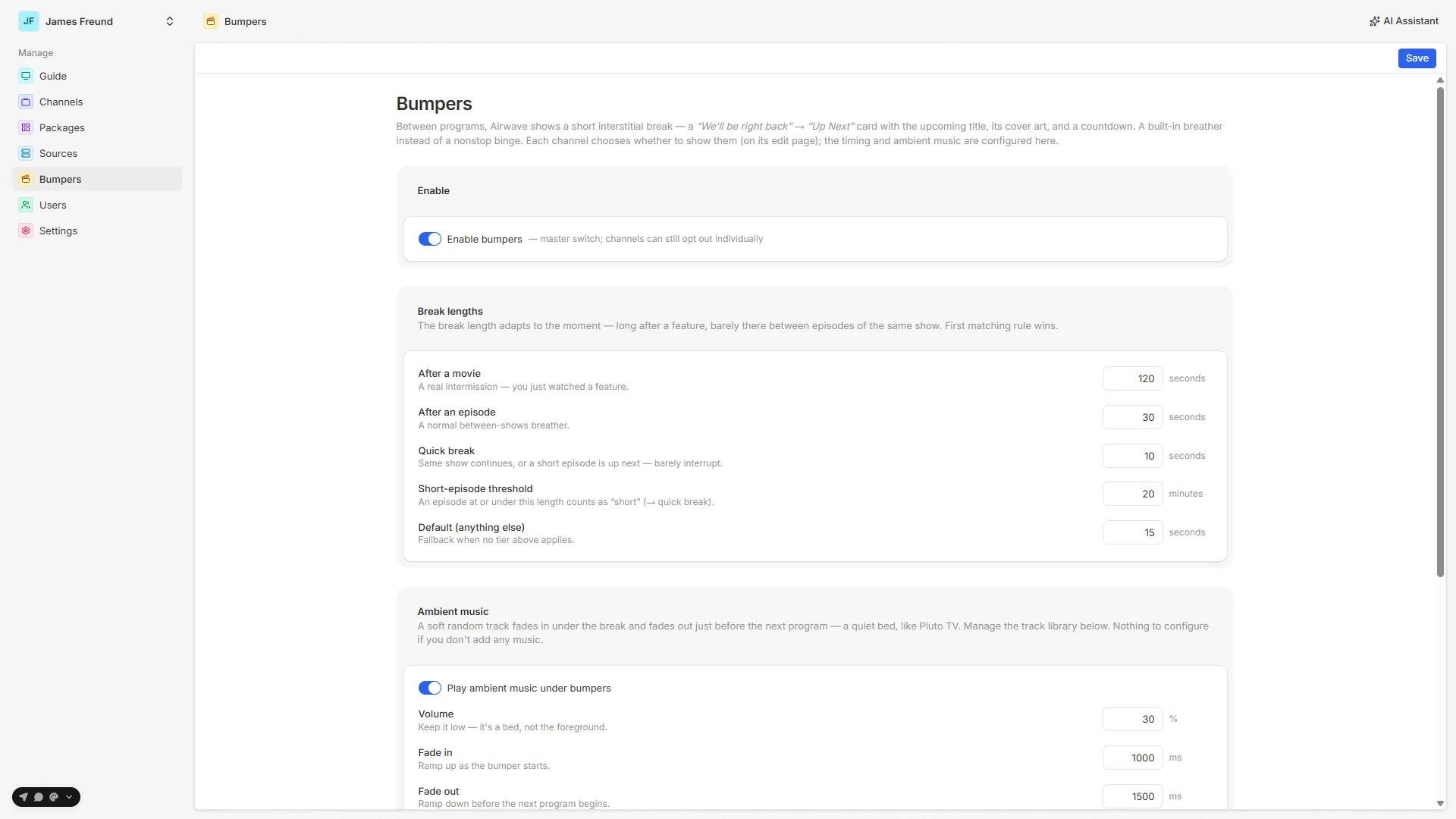
BumperConfig(one row,key = "global") owns all the real settings — the master on/off, the contextual break lengths, and the ambient-music controls. Admins edit it on the Bumpers page. - Each channel carries only a
bumperMode(Inherit / Off / Interstitial only / Full) — a choice of whether to show breaks, not what they contain.
Bumpers are on by default (enabled defaults true), so a fresh install has interstitial breaks
out of the box.
In this section
Interstitials
The client-rendered 'Up Next' card — blurred cover art, the countdown donut, and how each break length is chosen.
Ambient music
The optional music bed — a folder of tracks, a deterministic pick, and a DVR-derived position + fade.
Configuration
The global Bumpers page settings and the per-channel bumperMode (Inherit / Off / Interstitial only / Full).
Scheduling
How bumpers land in the timeline, the Bumper Sync reconcile job, and why only structural changes rebuild.
Source map
| Concern | File |
|---|---|
Global config router (get / update, rev bump) | packages/api/src/routers/bumpers.ts |
| Music library router (list / toggle / rename / remove / scan) | packages/api/src/routers/bumper-music.ts |
| Config resolve + contextual break-length logic | packages/api/src/services/bumpers/bumper-config.ts |
| Music library service (upload / scan / store) | packages/api/src/services/bumper-music/{library,store}.ts |
| Bumper weaving into the timeline | packages/api/src/services/schedule/timeline.ts |
Schedule build (reads the plan, stamps bumperRev) | packages/api/src/services/schedule/generate.ts |
| Bumper Sync + Scan Bumper Music jobs | packages/api/src/services/jobs/definitions.ts |
Data model (BumperConfig, BumperMusic, enums) | packages/db/prisma/schema/bumper.prisma |
| Per-channel mode + rev stamp | packages/db/prisma/schema/channel.prisma (Channel.bumperMode, Channel.bumperRev) |
Schedule slot (kind, bumperKind, targetMediaItemId) | packages/db/prisma/schema/schedule.prisma |
| Admin Bumpers page | apps/web/src/routes/_auth/bumpers.tsx |
| Interstitial card (TV) | apps/tv-web/src/features/watch/bumper-card.tsx, apps/tv-native/src/features/watch/bumper-card.tsx |
| Ambient music driving (TV) | apps/tv-web/src/features/watch/use-bumper-music.ts, apps/tv-native/src/features/watch/use-tv-player.ts |
See also: Channels · The schedule · Background jobs