
Media sources (Plex)
Connect a Plex server once, enable libraries, sync metadata, and serve every viewer on- and off-network from a single owner token.
How an admin connects a Plex Media Server to Airwave once, and how that single connection powers metadata, channel-building, and playback for every viewer — on- and off-network.
What a media source is
Airwave builds channels from, and streams content out of, a media source: a media server an
admin connects. Today that means Plex — the MediaSourceType enum reserves JELLYFIN and
EMBY, but only PLEX is wired up (packages/db/prisma/schema/media-source.prisma).
Each connected server is one MediaSource row. It carries where to reach the server (baseUrl,
plus off-network remoteUrl / relayUrl), how to identify it (machineIdentifier), and the
owner token used for every call — all covered across the pages below.
The one-owner-token model
The model is Overseerr-style: one admin connects one server, and that connection serves
everyone. When you sign in with Plex on the Add a source screen, Airwave stores that admin's
owner token on the MediaSource row (token). That token is what the server uses for all
metadata scraping and all playback brokering, for every viewer, whether or not the viewer has
their own Plex account.
Do not confuse this with viewers signing in:
- The source's owner token is a content token. It authenticates the server's calls to Plex — list libraries, page metadata, resolve a playable URL. It is obtained once, by an admin, and stored encrypted at rest.
- A viewer's Plex login is identity-only. "Sign in with Plex" as a viewer only matches an existing Airwave account by email — it never mints a token that streams content. See Users & access control.
So there is exactly one Plex token doing the streaming (the admin's), and playback is brokered
through it for all users (resolveMedia, packages/api/src/services/playback/broker.ts). This
section covers connecting and running that source; who is allowed to watch it is a separate layer.
How it fits
A source is the root of everything downstream. A channel is bound to exactly one
mediaSourceId and can only be created once that source is connected and synced — there's no
media to filter or schedule against otherwise. In the source list a source is badged Ready only
when it is connected (enabled + a resolved baseUrl) and synced (its metadata cache holds
at least one item); otherwise it shows Disconnected or Not synced (sources.list,
apps/web/src/routes/_auth/sources/index.tsx).
In this section
Connecting a server
The Sign-in-with-Plex device-pin handshake, picking a server, and what saveConnection writes.
Libraries
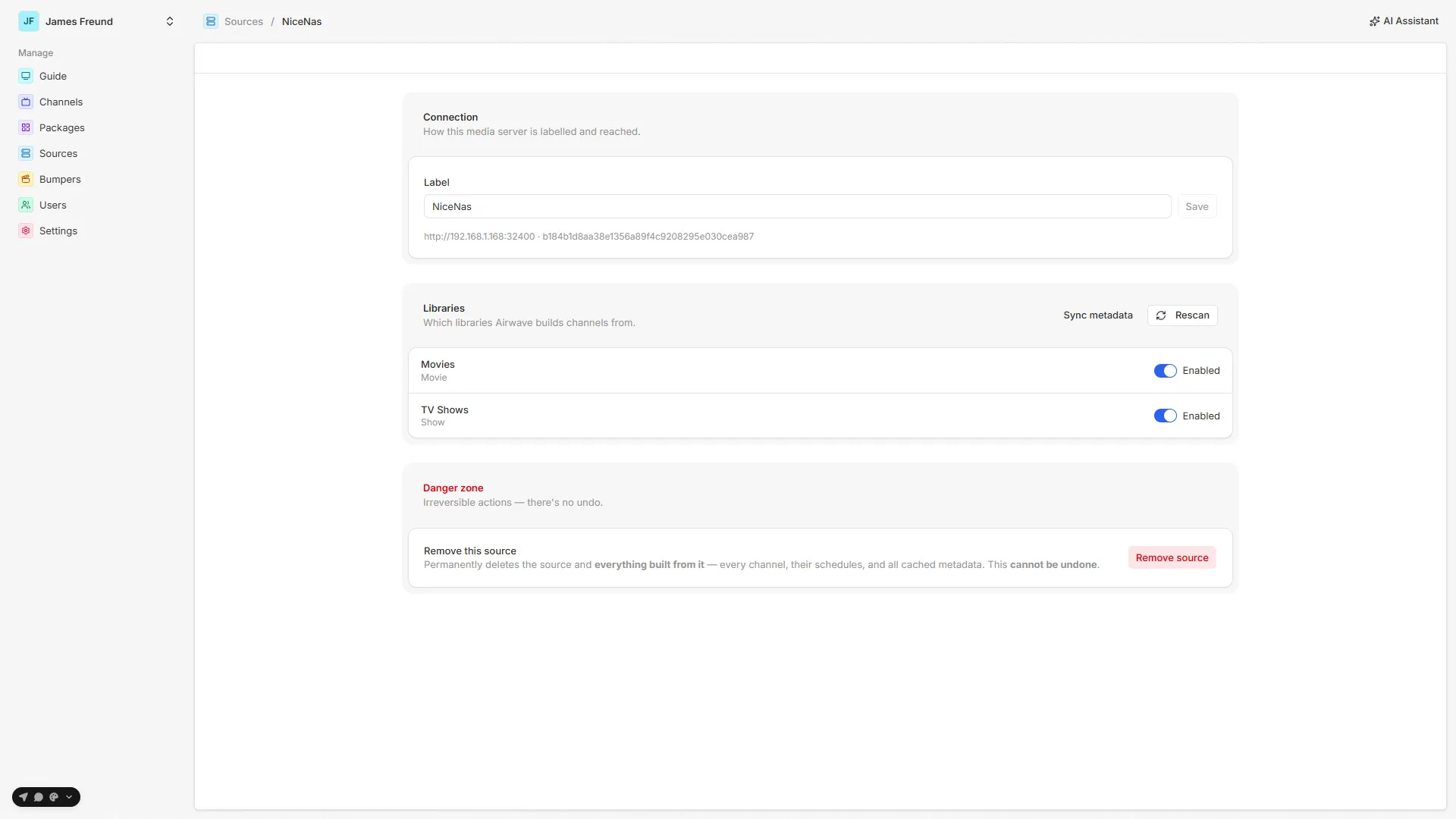
Plex sections become MediaLibrary rows — enable which ones feed channels, and rescan the list.
Metadata sync
The MediaItem cache and the background jobs that keep it fresh.
Connections
Local / remote / relay URLs, the hourly refresh, and how a TV probes them off-network.
Token security
The owner token encrypted at rest, its dependency on BETTER_AUTH_SECRET, and reconnecting after a rotate.
Managing a source
Rename, rescan, sync, and the type-DELETE cascade in the danger zone.
Source map
| Path | Responsibility |
|---|---|
packages/api/src/routers/plex.ts | Sign-in-with-Plex flow: createAuthPin, checkAuthPin, listServers, saveConnection, importUsers. |
packages/api/src/routers/sources.ts | Manage saved sources: list, get, updateLabel, rescan, setLibraryEnabled, remove. |
packages/api/src/services/plex/client.ts | The Plex API client — pins, getServers, getLibraries, connection-URL resolution, metadata + playback queries. |
packages/api/src/services/plex/sync-libraries.ts | Upsert MediaLibrary rows, preserving each library's enabled flag. |
packages/api/src/services/plex/token.ts | Encrypt / decrypt the owner token at rest; boot backfill. |
packages/api/src/services/plex/import-users.ts | Bulk-import shared Plex users as Viewer accounts (email-matched, idempotent). |
packages/api/src/services/media/sync-media.ts | Full metadata-cache refresh + removal detection (syncMediaItems). |
packages/api/src/services/jobs/definitions.ts | The sync jobs: metadata-sync, recently-added-scan, library-scan, plex-connection-refresh, plex-token-check. |
packages/api/src/services/playback/broker.ts | Picks local / remote / relay base for a client's stream (resolveMedia). |
apps/server/src/rest.ts | Viewer-facing REST: GET /api/v1/connections, GET /api/v1/channels/:id/media?network=. |
apps/web/src/routes/_auth/sources/ | Admin UI — list (index.tsx), connect (new.tsx), manage / danger-zone ($sourceId.tsx). |
packages/db/prisma/schema/media-source.prisma | MediaSource, MediaLibrary, MediaItem models. |
See also: Getting started · Channels · Users & access control · Background jobs