
Settings
The admin Settings area — a map of every section, from your profile and AI provider connections to sessions, jobs, workflows, and lineup import/export.
Settings is the admin control panel for the whole instance. It's reached from the sidebar
(apps/web/src/routes/_auth/settings.tsx) and lays its sections out as tabs across the top of the
page. Opening /settings redirects to General (/settings/main).
The entire admin panel — Settings included — is admins only. A logged-in non-admin is redirected
to /not-authorized (apps/web/src/routes/_auth/route.tsx; role is the server-issued better-auth
value, and every data call behind these pages is an adminProcedure on the server), so nothing here
is reachable by a regular viewer.
Most of what lives here has its own dedicated documentation — this page is the map. Sections that only configure this area (your profile, AI provider connections) are written up in the subpages below; everything else links out to where it's already covered.
The sections
| Section | Route | What it does | Documented in |
|---|---|---|---|
| General | /settings/main | Your profile (display name, email) plus a placeholder for future server-wide preferences | Settings → General |
| Sessions | /settings/sessions | Live playback sessions (who's watching what, right now) and recent playback history | Sessions |
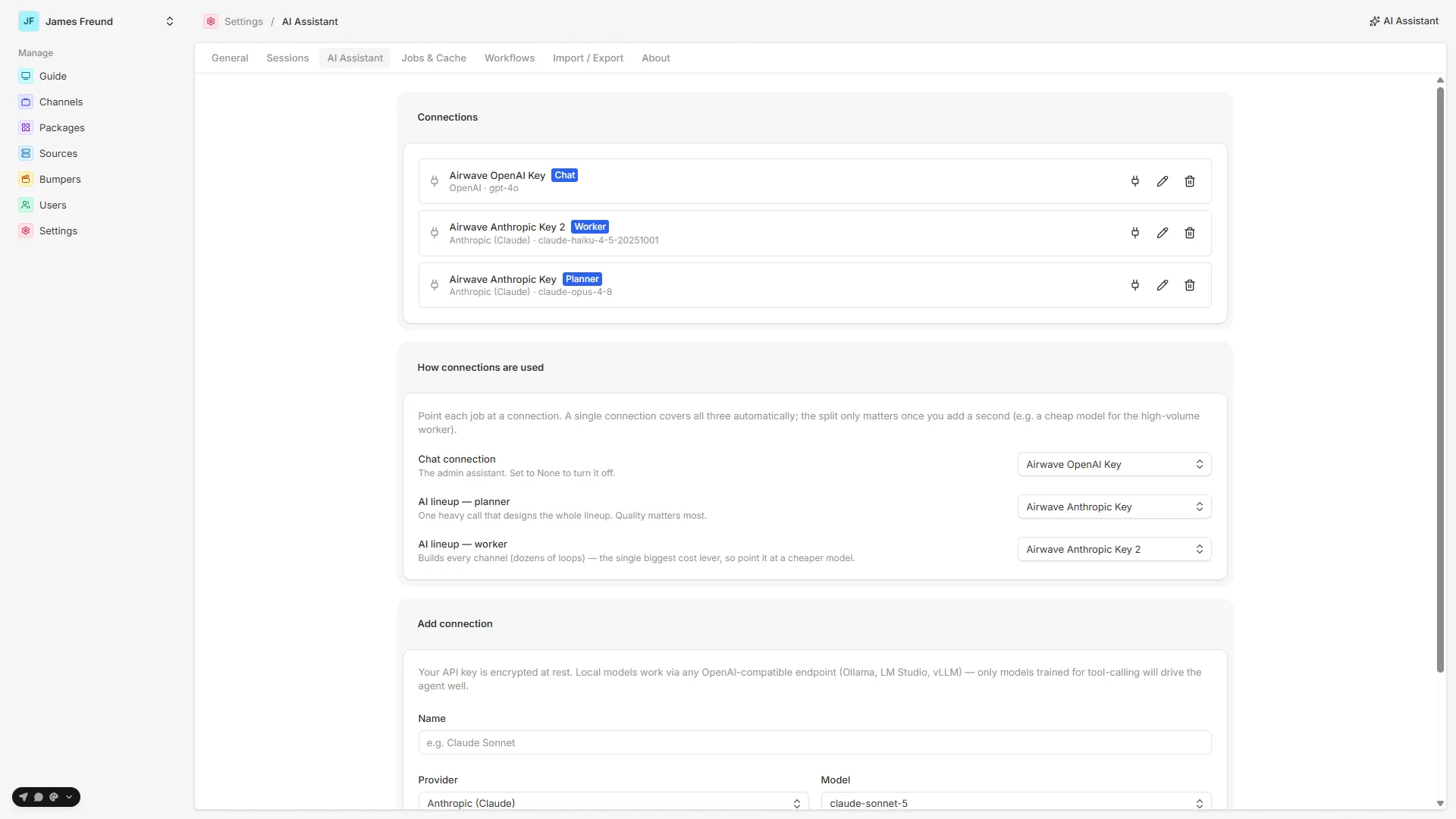
| AI Assistant | /settings/ai | Add and manage AI provider connections (bring-your-own-key) and assign them to the chat / planner / worker roles | Settings → AI connections · used by the AI assistant |
| Jobs & Cache | /settings/jobs | The in-process background jobs and their run history; cache controls | Background jobs |
| Workflows | /settings/workflows | Durable, crash-resilient runs — the AI lineup builder and the lineup importer — and their observability | Durable workflows |
| Import / Export | /settings/transfer | Download the whole lineup (packages + channels + filters) as portable JSON, or upload one to recreate it | Import / Export |
| About | /settings/about | The running version and a link to the source repo | This page (below) |
In this section
General
Your profile — display name and email — plus the server-wide preferences planned to land here.
AI connections
Add a provider connection (Anthropic, OpenAI, Google, or any OpenAI-compatible/local endpoint), store the key encrypted, and assign chat / planner / worker roles.
About
About (/settings/about) is read-only: it shows the running version (APP_VERSION) and links
to the project source. There's nothing to configure — it's the quick "what am I running?" check.
Not a Settings tab, but adjacent
- Device capabilities — the capability diagnostic that measures exactly which codecs and containers a given client can play. It lives at its own route rather than under Settings, but it's the companion admin tool for debugging playback. See Device capabilities.
- Users & access — who can sign in and which packages/channels they can see is managed under its own area, not here. See Users & access.
Source map
| Concern | File |
|---|---|
| Settings layout + section tabs | apps/web/src/routes/_auth/settings.tsx |
/settings → General redirect | apps/web/src/routes/_auth/settings/index.tsx |
| General (profile + placeholder) | apps/web/src/routes/_auth/settings/main.tsx |
| AI connections (config UI) | apps/web/src/routes/_auth/settings/ai.tsx |
| Sessions | apps/web/src/routes/_auth/settings/sessions.tsx |
| Jobs & Cache | apps/web/src/routes/_auth/settings/jobs.tsx |
| Workflows index (AI lineup / import runs) | apps/web/src/routes/_auth/settings/workflows/index.tsx |
| Import / Export | apps/web/src/routes/_auth/settings/transfer/index.tsx |
| About | apps/web/src/routes/_auth/settings/about.tsx |
| Admin-only gate | apps/web/src/routes/_auth/route.tsx |
| AI connections API | packages/api/src/routers/ai.ts |
| AI connection service (roles, encryption) | packages/api/src/services/agent/config.ts |
| Secret encryption at rest | packages/api/src/services/crypto.ts |
See also: AI assistant · Sessions · Background jobs · Durable workflows · Import / Export · Users & access
Scheduling
How bumpers are materialized into a channel's timeline, the rev-based Bumper Sync reconcile job, and why only structural settings rebuild schedules while music and style are playback-only.
General
The General tab — your admin profile (display name and email) and the server-wide preferences planned to live here.