
Packages
How Airwave groups channels into packages — the unit of organization in the admin, the filter lenses on the TV guide, and the thing a viewer is granted access to.
New here? Start at Getting started. Packages group the channels you build, and feed the per-user access model.
What a package is
A package (ChannelPackage) is a named, styled grouping of channels — "Kids & Family",
"Time Machine", "Movie Night". Every channel optionally belongs to one package via
a nullable Channel.packageId; a channel with no package is ungrouped. The relationship lives in
packages/db/prisma/schema/channel.prisma:
ChannelPackage—id, a stable uniquekey(slug),name, optionaldescription,icon,tint, asortIndexfor ordering, two provenance flags (generated,aiGenerated), and back-relations tochannelsanduserAccess. Mapped to thechannel_packagetable.Channel.packageId— a nullable FK withonDelete: SetNull, so deleting a package never deletes its channels — they just become ungrouped. Indexed (@@index([packageId])).
Packages are managed from the admin panel only. Every procedure in
packages/api/src/routers/packages.ts is an adminProcedure, and the admin UI lives under
apps/web/src/routes/_auth/packages/. Viewers never edit packages; they only ever see them as
guide lenses.
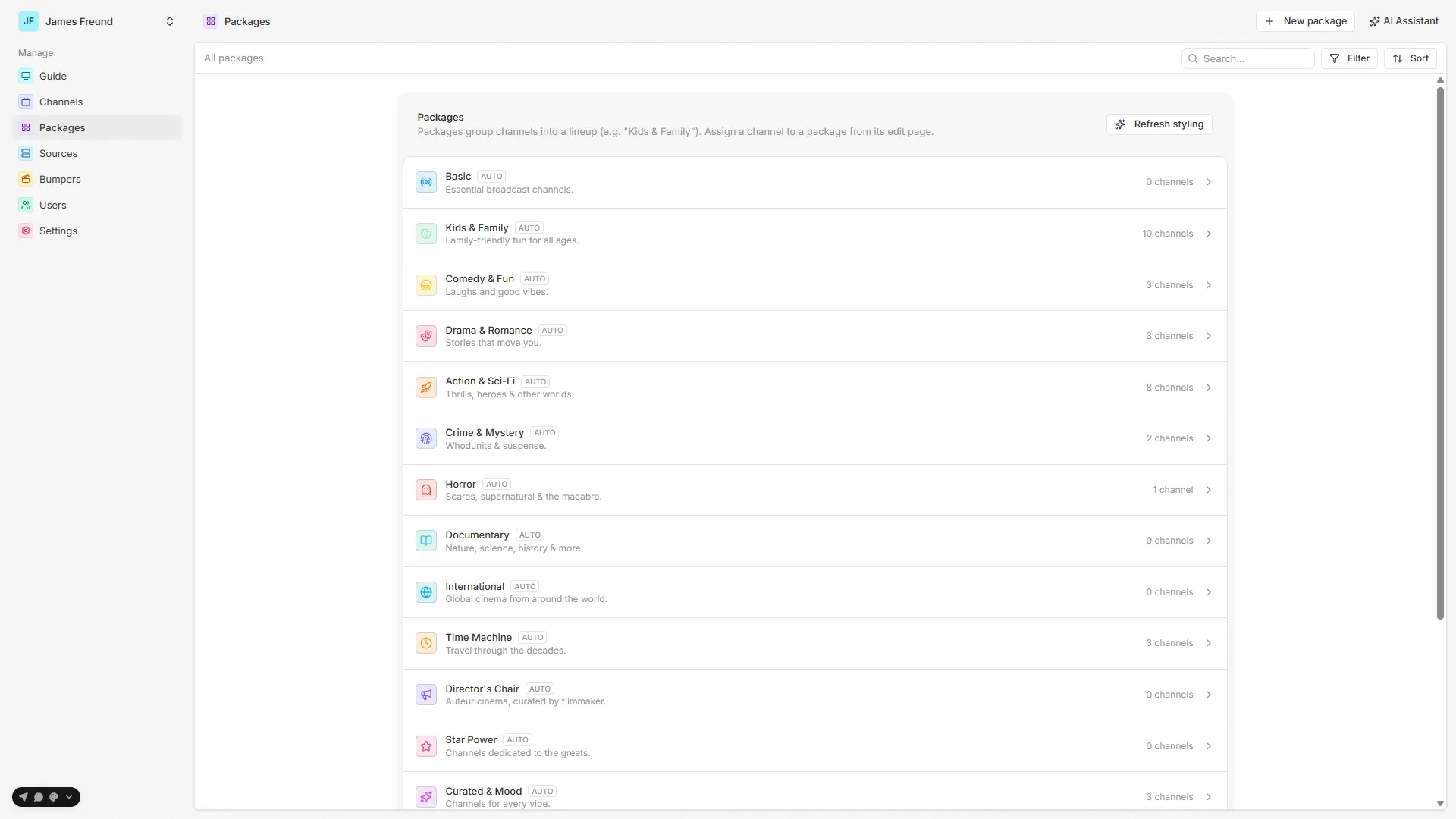
The three jobs a package does
A package earns its place by doing three distinct jobs, each covered on its own page below:
- Organization — the admin lists and edits channels grouped by package, and a package carries a shared icon + tint that its channels inherit.
- Guide lenses — on the TV guide, each package with at least one visible channel becomes a sidebar lens the viewer can filter to.
- Access — a viewer can be granted FULL access to a package, which automatically includes any channel added to it later.
In this section
Creating a package
Create and edit — name, description, the slugified key, and where a new package sorts.
Assigning channels
Channels join a package from the channel form, and inherit its icon/tint via resolveTile.
Icon & tint
The shared accent palette — store vivid, present muted — and how a package is styled.
Provenance
The generated / aiGenerated flags → Auto / AI / Manual, and what Refresh styling & Regenerate touch.
Packages & access
FULL package grants and why they're one of only two ways new content reaches a restricted viewer.
Guide lenses
How a package becomes a filter lens in the TV guide sidebar.
Source map
| Concern | File |
|---|---|
ChannelPackage model, Channel.packageId (SetNull) | packages/db/prisma/schema/channel.prisma |
Admin router — list (q/gen/sort/dir), get, create, update, remove | packages/api/src/routers/packages.ts |
| Admin list UI (search / filter / sort / refresh styling) | apps/web/src/routes/_auth/packages/index.tsx |
| Admin new / edit (+ regenerate channels, delete) | apps/web/src/routes/_auth/packages/new.tsx, .../$packageId.tsx |
| Assigning a channel (the Package select) | apps/web/src/features/channels/channel-form.tsx |
| Icon/tint inheritance resolver | apps/web/src/features/icons/app-icon.tsx (resolveTile) |
| Accent palette (vivid/tint, 16 keys) | packages/ui/src/lib/accent-palette.ts |
| Server accent contract + coercion + channel color cycle | packages/api/src/services/accents.ts |
| Preset generator (upsert packages, regen scopes) | packages/api/src/services/generator/generate.ts, packages/api/src/routers/generator.ts |
AI provenance undo (clearAiGenerated) | packages/api/src/services/agent/tools.ts |
Access grants (UserPackageAccess FULL/PARTIAL) | packages/db/prisma/schema/access.prisma |
| Guide lens service (viewer-facing) | packages/api/src/services/packages.ts (listActivePackages) |
| REST guide-packages endpoint | apps/server/src/rest.ts (GET /packages) |
| TV guide sidebar lenses | apps/tv-web/src/features/guide/guide-sidebar.tsx, apps/tv-web/src/hooks/use-packages.ts |
See also: Channels · Users & access · Getting started
The schedule
How a channel's filter/ordering recipe becomes a materialized, deterministic timeline — the initial windowed build, generate/extend, and the jobs that grow and heal it.
Creating a package
Create and edit a package — its author-controlled fields, the slugified key, and where a new package sorts.