
Interstitials
The client-rendered "Up Next" card that frames every break — blurred cover art, a draining countdown, and the contextual rule that picks each break's length.
The interstitial is the visible part of a bumper: a short "Coming up next" card that plays in the
break between two programs. It is client-rendered — the server schedules an empty bumper slot with
no media (ratingKey is null, so nothing streams), and each TV app draws the card itself from the
slot's target program. That keeps the break weightless: no transcode, no extra stream, just a card and
a clock.
What the card shows
The bumper slot carries a targetMediaItemId — the upcoming program it introduces — and the
client pulls that item's metadata to render:
- A blurred backdrop — the upcoming program's art (falling back to its thumb), blurred and dimmed so the foreground text reads cleanly.
- A heading — the show title for an episode, or the movie title for a feature.
- An episode line —
S<n> · E<n> — <episode title>when the next program is an episode. - A countdown donut — an accent ring that drains from full to empty with the remaining seconds centered, tinted with the channel's accent.
The countdown runs off a local clock (a captured end-time), not server polling, so it stays smooth and reconciles only on real drift (more than ~1s). The donut drains against the bumper's true length from the timeline, so joining or scrubbing into the middle of a break shows the correct fraction rather than restarting from full. There's also a compact variant — just the donut and a short "Up next" blurb — shown when a bumper hits while the player is docked in the guide's mini feed.
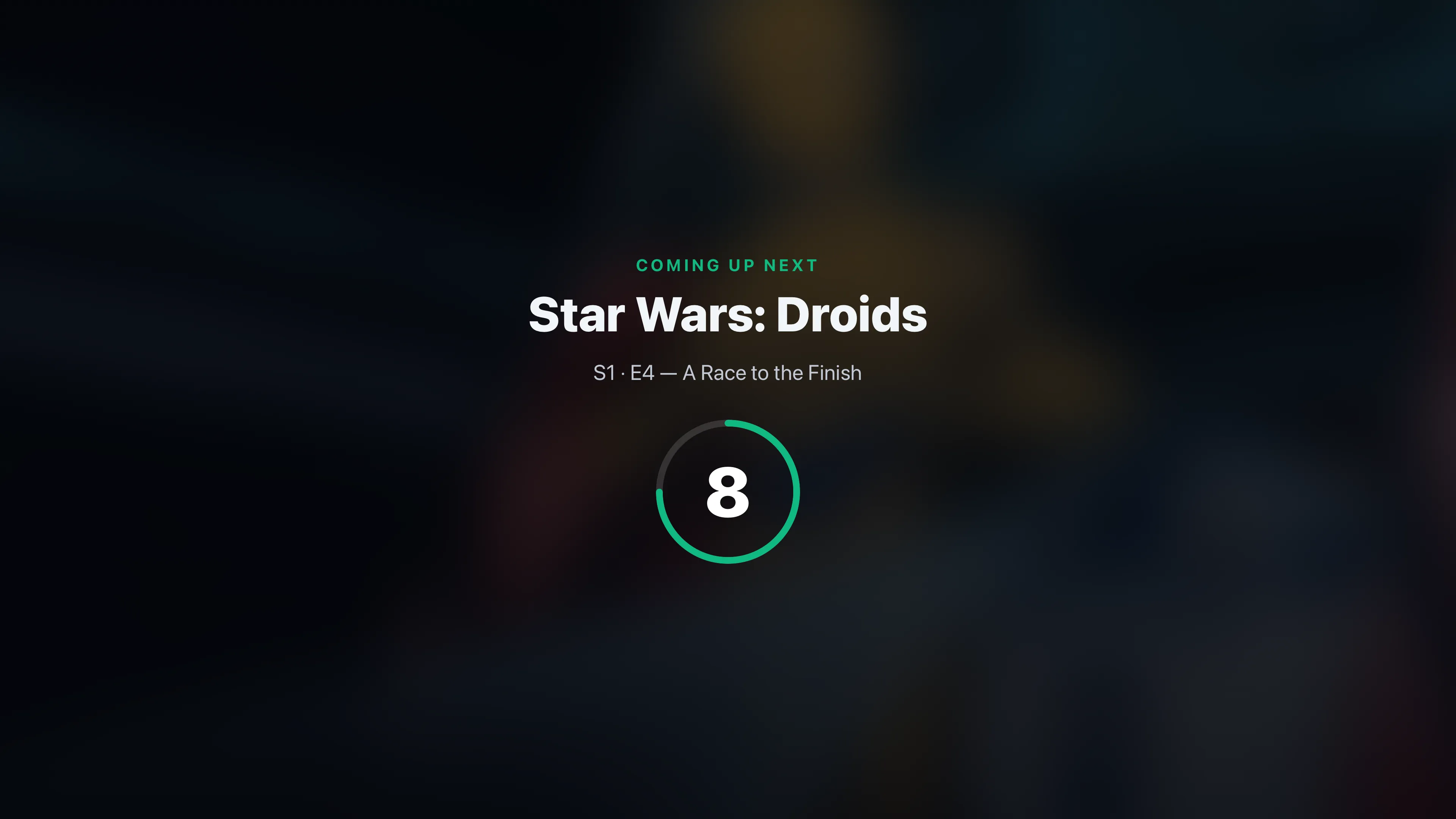
Both TV clients render the same card: apps/tv-web/src/features/watch/bumper-card.tsx and its
mechanical port apps/tv-native/src/features/watch/bumper-card.tsx.
How long a break is
Break length is contextual — chosen per program transition rather than a single fixed value, so a
break feels right for the moment (a real intermission after a feature, barely a beat between episodes
of the same show). The lengths are the configurable tiers on the global config; the choice is made by
breakSeconds in packages/api/src/services/bumpers/bumper-config.ts, evaluated at build time when
the bumper slot is laid down.
First matching rule wins, most specific to most general:
| # | Condition (outgoing → incoming) | Length used |
|---|---|---|
| 1 | Same show continues (episode → episode, same series) | quickSeconds |
| 2 | A movie just ended (a feature) | afterMovieSeconds |
| 3 | A short episode is up next (at/under the threshold) | quickSeconds |
| 4 | A TV episode just ended | afterEpisodeSeconds |
| 5 | Anything else | interstitialSeconds (the fallback) |
A "movie" is anything typed as a movie, or — when the item's type is missing — a long non-episode
(75 minutes or more). "Short" is any episode at or under the configured short-episode threshold
(shortEpisodeMinutes). See Configuration for the defaults and where to
change them.
Because the length is baked into the slot at build time, changing any of these tiers is a
structural change — it bumps the config rev and the Bumper Sync job
rebuilds affected channels so their timelines reflect the new timing.
Commercials within the frame (future)
The interstitial is designed as a frame: today it's just the "Up Next" card, but the schema
already reserves a place for commercial clips — pulled from a Plex playlist or collection, or a
local folder — that would play inside that frame between the "we'll be right back" and the "up next".
That layer isn't built yet; the fields (source, plexPlaylistKey, plexCollectionKey,
localDirPath, minPerBreak, maxPerBreak on BumperConfig) exist so enabling it needs no
migration.
See also: Ambient music · Configuration · Scheduling
Bumpers
The short between-program interstitial breaks — a client-rendered "Up Next" card with an optional ambient music bed — configured globally and switched on per channel.
Ambient music
The optional soft music bed under a bumper — a folder of tracks, a deterministic per-break pick, and a DVR-derived position and fade that scrubs along with you.